A normal Bible app helps you read.
Useful for quiet study, but often disconnected from repetition, delight, and accountability.
- Verse search and reading plans
- Basic bookmarking and notes
- Limited reinforcement after the reading moment ends
Scripture songs, the full Bible, smart flashcards, streaks, and family controls — one rhythm, one app. Start free. Your next verse is one tap away.


Most products make you choose one lane: reading, streaming, or memorizing. WordSong closes the loop so every habit supports the others. Listening feeds recall. Reading sharpens context. And flashcards make memory stick.

Useful for quiet study, but often disconnected from repetition, delight, and accountability.
Great for soundtrack moments, but not built around scripture learning or growth habits.
Music, reading, review, and friendly challenge work together so truth stays with you longer.
WordSong gives people fast, visual entry points into scripture learning. Open a Bible book, jump into a themed set, browse genre playlists, or move straight into quiz-ready study.
Browse by Bible book, topic, genre, and ready-made study lanes. The same bright WordSong visual language carries across collections, playlists, and radio so people always know where to go next.



WordSong is organized around the moments people actually return to: listening on the go, reading in context, reviewing what matters, and growing as a family.
Scripture-centered audio you can revisit on drives, walks, workouts, and quiet mornings.
Open the full Bible, move through structured plans, and search the exact verse you need.
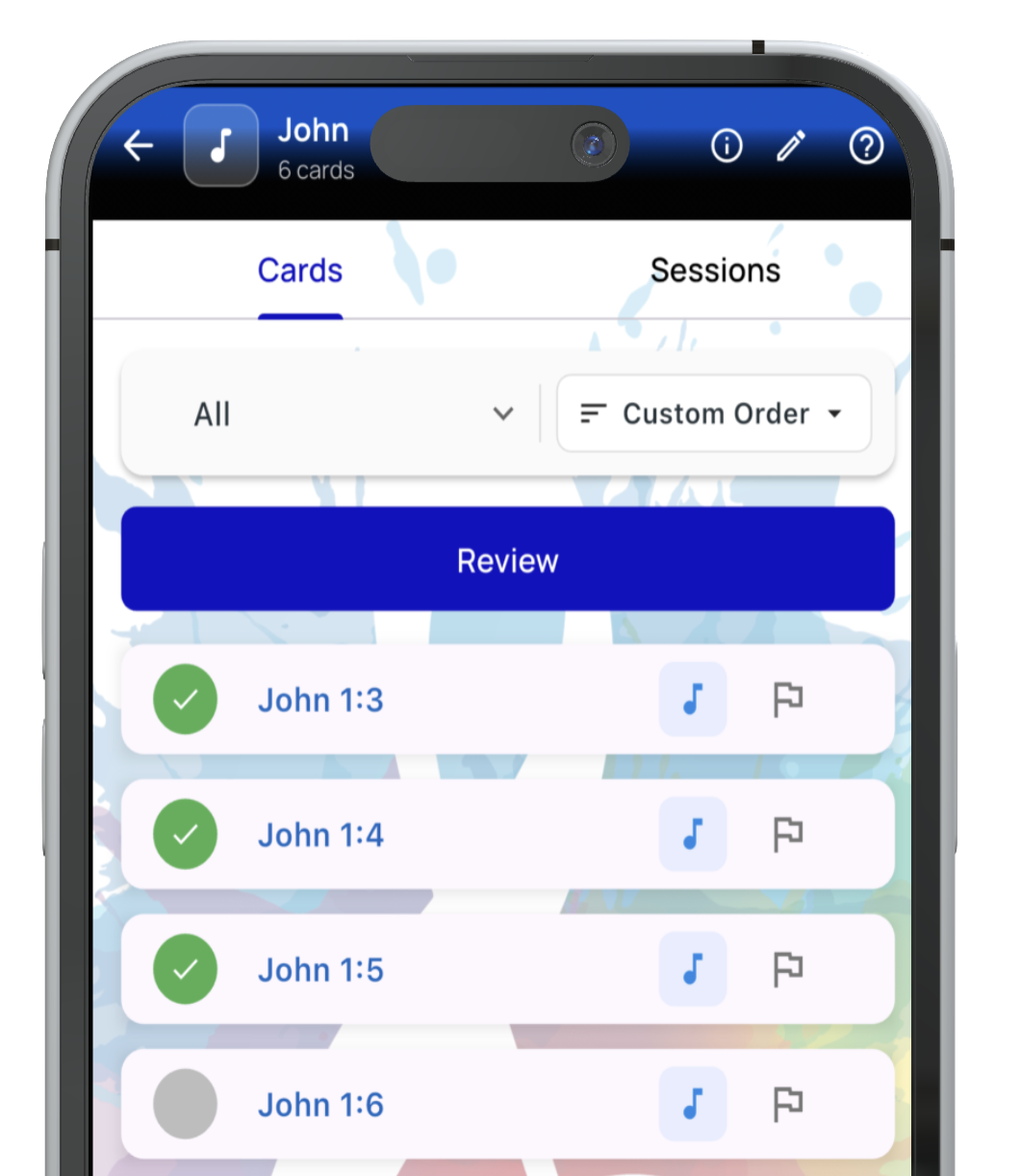
Flashcards turn scripture recall into active practice with rhythm and visible progress.
One subscription, one dashboard — parents guide each profile with kid-safe controls.
WordSong starts with music because songs stay with people. The listening experience is built to feel rich, not tacked on: browse collections, jump between genres, create playlists, or let the app keep the truth playing through WordSong Radio.


WordSong includes a full Bible reader and plan-driven reading flow so the app is not only about memorization. It gives people a place to stay grounded in context while they build consistency over time.
The flashcard system is one of WordSong's strongest differentiators. Build custom stacks, choose smart review behavior, resume interrupted sessions, and actually see how your memory is improving over time.
Start with a sound that fits the moment, then let scripture songs meet you there. Genre playlists make discovery feel familiar for music lovers without losing the WordSong study flow.




Family Center gives parents a real cockpit: child profiles, age-aware feature gates, screen-time limits, and a progress viewer that lets you celebrate growth without hovering. One subscription covers the whole household.

Manage child accounts, sync settings, and support healthy engagement without giving up visibility.
Parents can shape what each profile sees, with clear, age-aware feature toggles.
Billing, notifications, support, download management, and user profiles stay close to the rest of the experience.
Beyond the four pillars, WordSong is packed with the quiet features that keep people coming back — earned through years of building for real Bible readers, learners, and families.
Every song, plan day, and flashcard review earns XP and pushes you toward mastery milestones with celebratory badges.
Tap any word in the Bible reader for instant Greek and Hebrew context — study deeper without leaving the verse.
English, Spanish, and Chinese reading; offline audio downloads and offline-friendly Bible data when available.
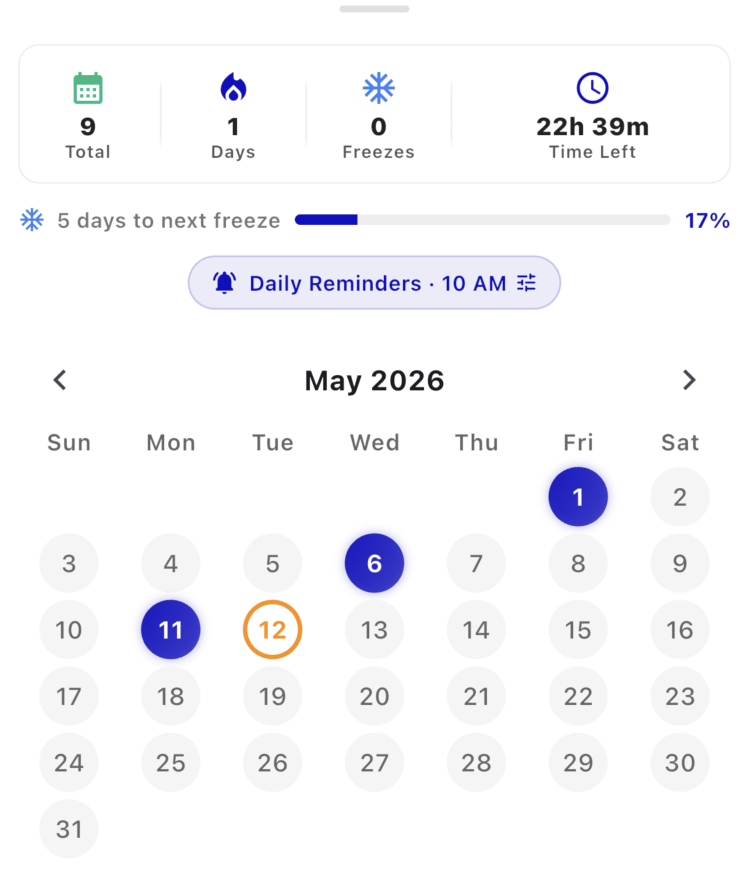
Smart push reminders, streak protection, and a daily streak calendar that keeps consistency visible without guilt.

Denee is a singer, songwriter, author, and music director — and the creator of WordSong. Behind closed doors she is a mother, friend, prayer-partner, and a believer that no one is exempt from being a better version of themselves.
Life verse Ezekiel 17:22–24 Regardless of every role she carries, Denee strives to please Jesus in all things. She truly believes she can do all things through Christ, and that true enlightenment is giving God joy.
Start free. Upgrade in-app when you want more listening depth, stronger memorization tools, and family support. All plans include a 7-day free trial.
WordSong is wide enough to serve music lovers, Bible readers, families, and people simply trying to build stronger scripture habits. These are the most common starting questions.
There's a free plan you can use forever. WordSong Basic is $2.99/month and WordSong Plus is $4.99/month. Both paid plans come with a 7-day free trial. Subscribe inside the app on iPhone or Android — no card needed to start.
All purchases happen securely inside the WordSong app. Apple or Google handles billing, renewals, and cancellations depending on the device you use. Manage or cancel any time in your device's subscription settings.
No. Music is a major on-ramp, but WordSong also includes the full Bible reader, scripture search, flashcards, analytics, and reading plans. The music layer makes memory more engaging, but it is not the only way in.
Yes. Flashcards, smart review modes, and streak tracking are all built around active recall. You can move from hearing a verse in a song to actively reviewing and locating it in study.
Yes. Family Center supports child accounts with kid-safe defaults, age-aware feature controls, and parent-managed profiles. The goal is growth with clear guardrails.
It does. WordSong includes the full Bible reader, verse search, plan-based reading, streak tracking, and multilingual reading support so it can replace your standalone Bible app.
Yes. Paid and trial users can download audio for offline listening, and the Bible experience is designed with offline reading in mind for supported language data.
One Plus subscription covers the whole household. Generate a family code, invite child or teen accounts, and use Family Center to manage age-aware feature gates, screen-time limits, and a per-child progress viewer.
Yes. WordSong is available on iPhone and Android. Download it from the App Store or Google Play.
Get WordSong on iPhone or Android today. Start free, then upgrade in-app whenever you're ready for deeper listening, smart review, and family controls.
Free plan available. Basic and Plus include a 7-day trial — feel the full rhythm before you commit.